A managed AI receptionist answers your callers’ approved questions, captures and routes every inquiry, and drops the next step into APX OS — turning a missed call into a real answer and a clear next step. We build the website and set up the whole system for your business, and keep it tuned.
$2,500 setup, including the first 30 days. Then $500/month, month-to-month.
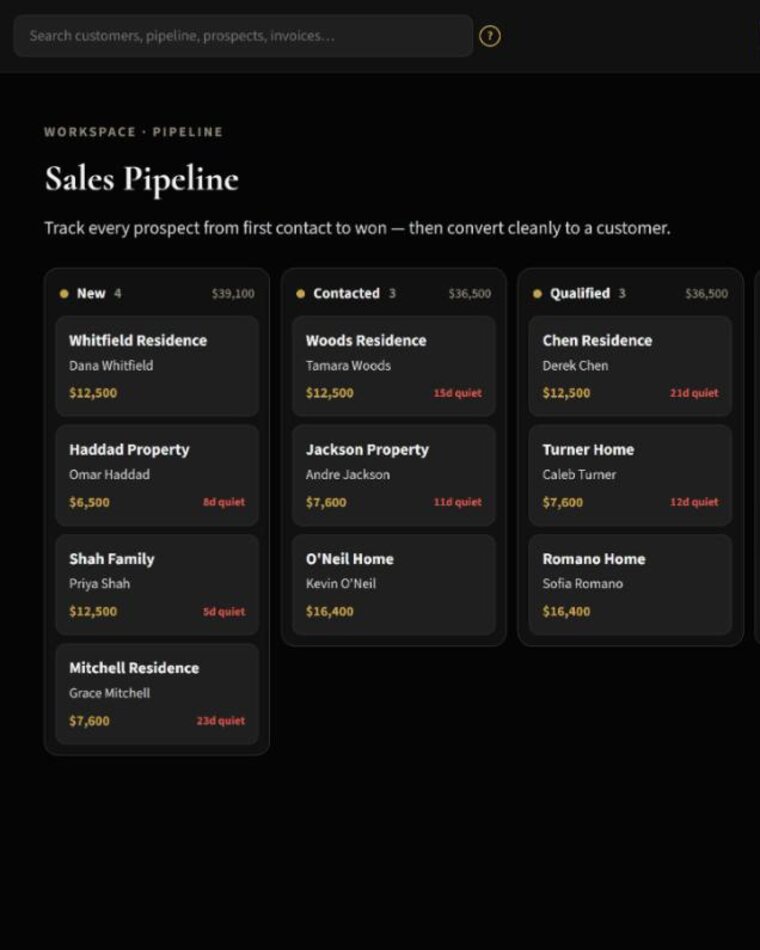
A short recorded demo call — a routine question answered and the inquiry handed to the team — then where that inquiry lands in APX OS. Recorded product demo with fictional caller details.
No autoplay — tap to play. Recorded demo for a sample business.
AvaThanks for calling Northstar Exteriors — this is Ava.
MikeHi — do you do James Hardie siding? About what’s it run?
AvaWe do — it’s our most popular. It depends on your home, so we do a free in-home estimate. Can I grab your name and address?
MikeMike Dawson — 418 Maple, Winter Park.
AvaThanks, Mike. Let me check our estimate openings — I’ve got Friday at 10, or Monday afternoon. Which works?
MikeFriday at 10’s perfect.
AvaGreat — you’re booked for Friday at 10, and I’ll text you a confirmation. Anything else?
MikeNope — thanks, Ava!
AvaHappy to help.
Northstar Exteriors is a sample business; the caller and details are fictional.

A clean site — up to five pages — built within your Front Desk package, with Google Business Profile setup and an obvious way for customers to reach you. The front door the rest of the system is wired to.

The assistant handles owner-approved questions, captures the details you need, and — when a caller wants to meet — books the appointment right there on the call, against your calendar, with a text confirmation. Anything sensitive routes to a person you choose; your team keeps the decisions that need a human.
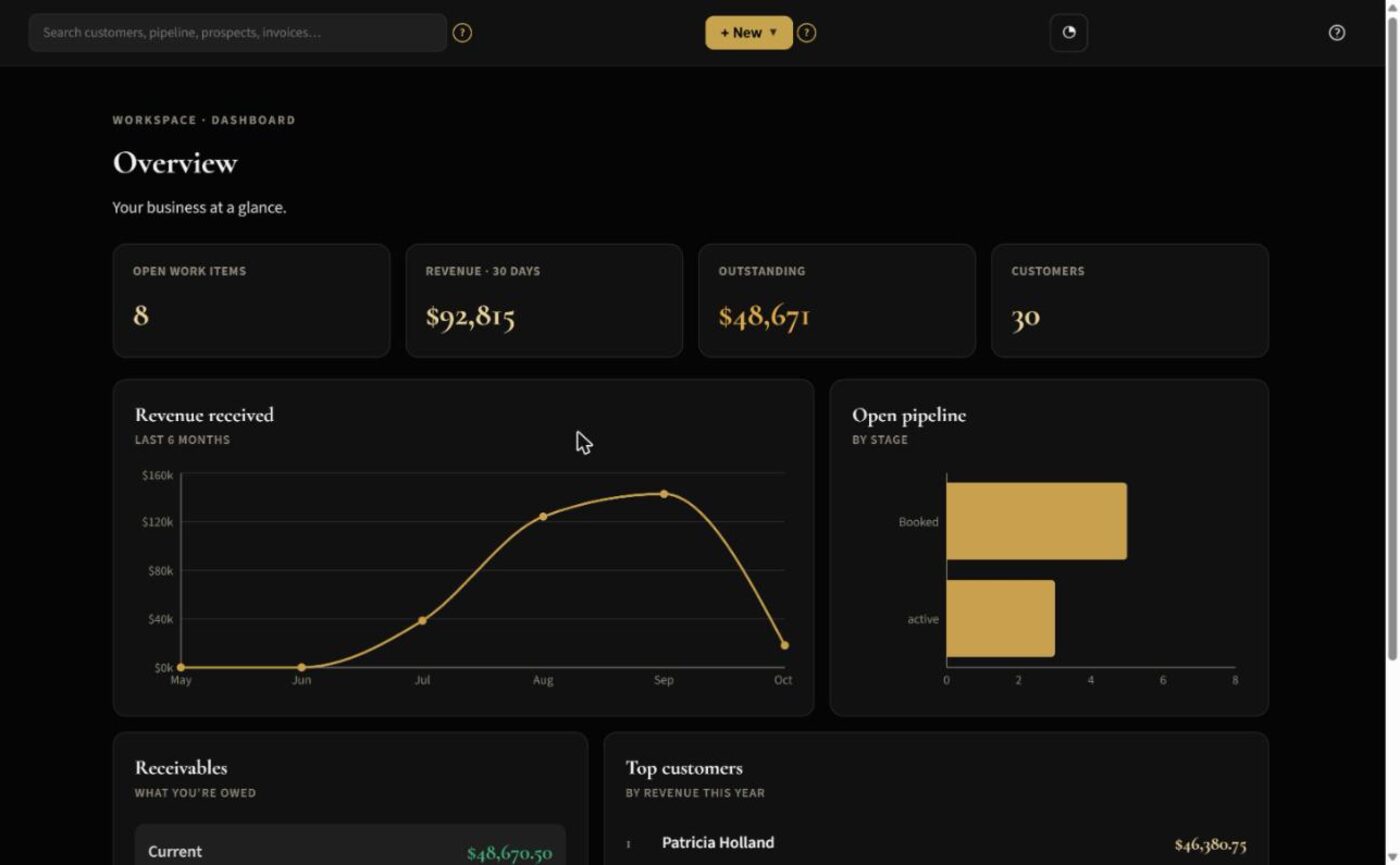
Every inquiry lands in APX OS — customer record and pipeline — so your team can see who owns the next step and what happened next. Nothing slips between four apps that don't talk.
Front Desk joins a custom website, the assistant, and the system that runs everything after an inquiry. We configure it and keep it tuned.
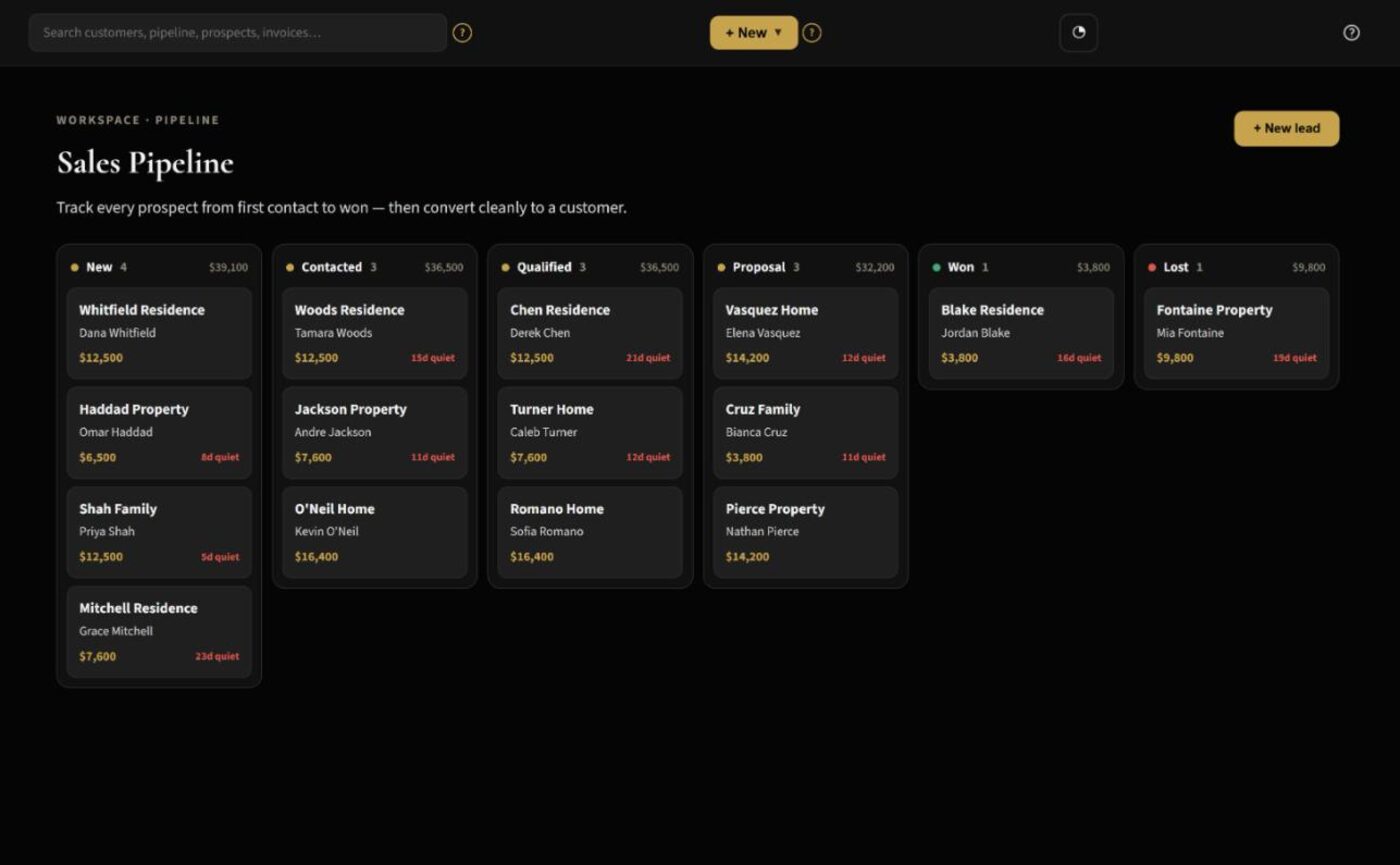
Every inquiry becomes a record and a next step.
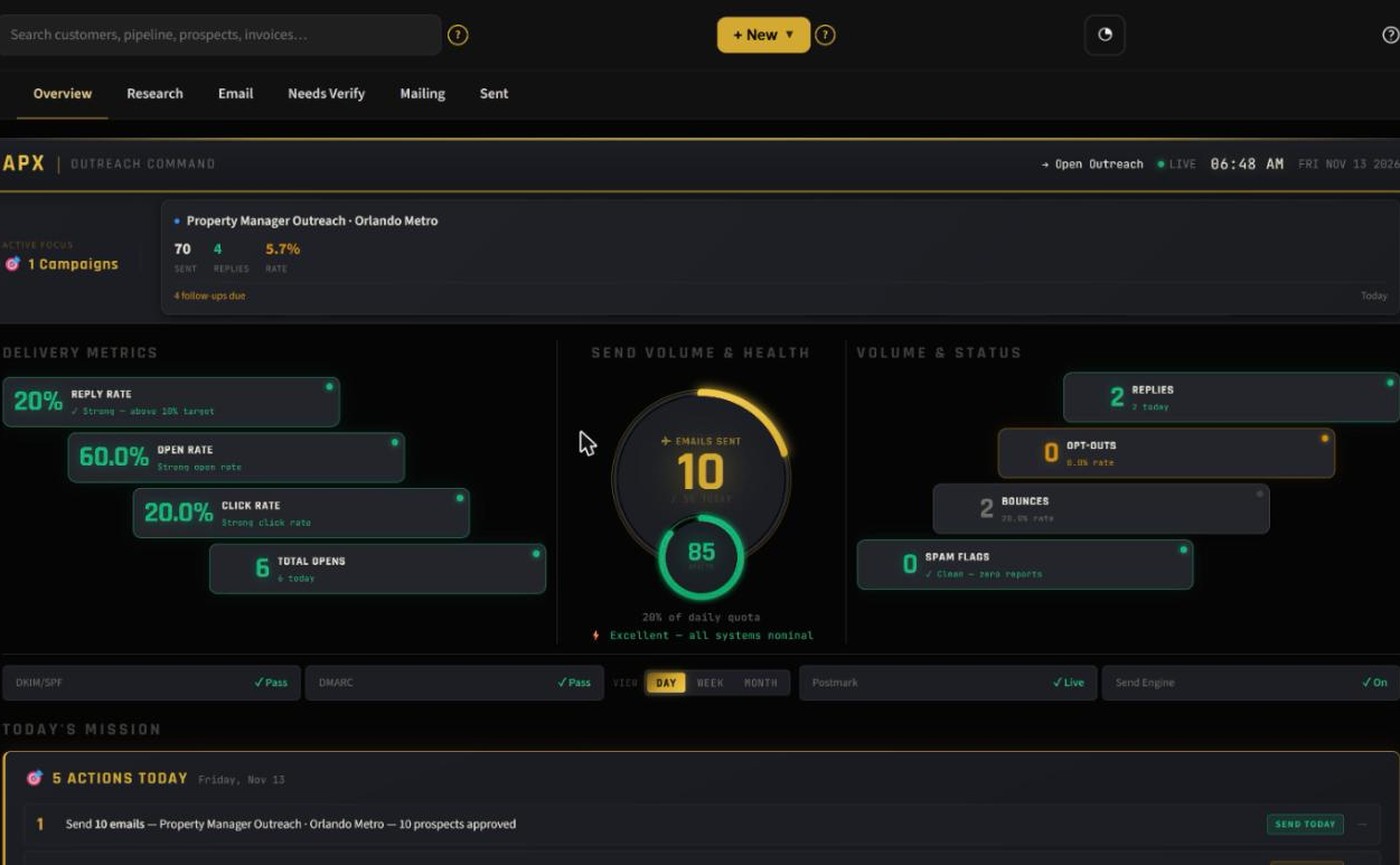
Research a prospect, review a draft, approve, and send — with controls.
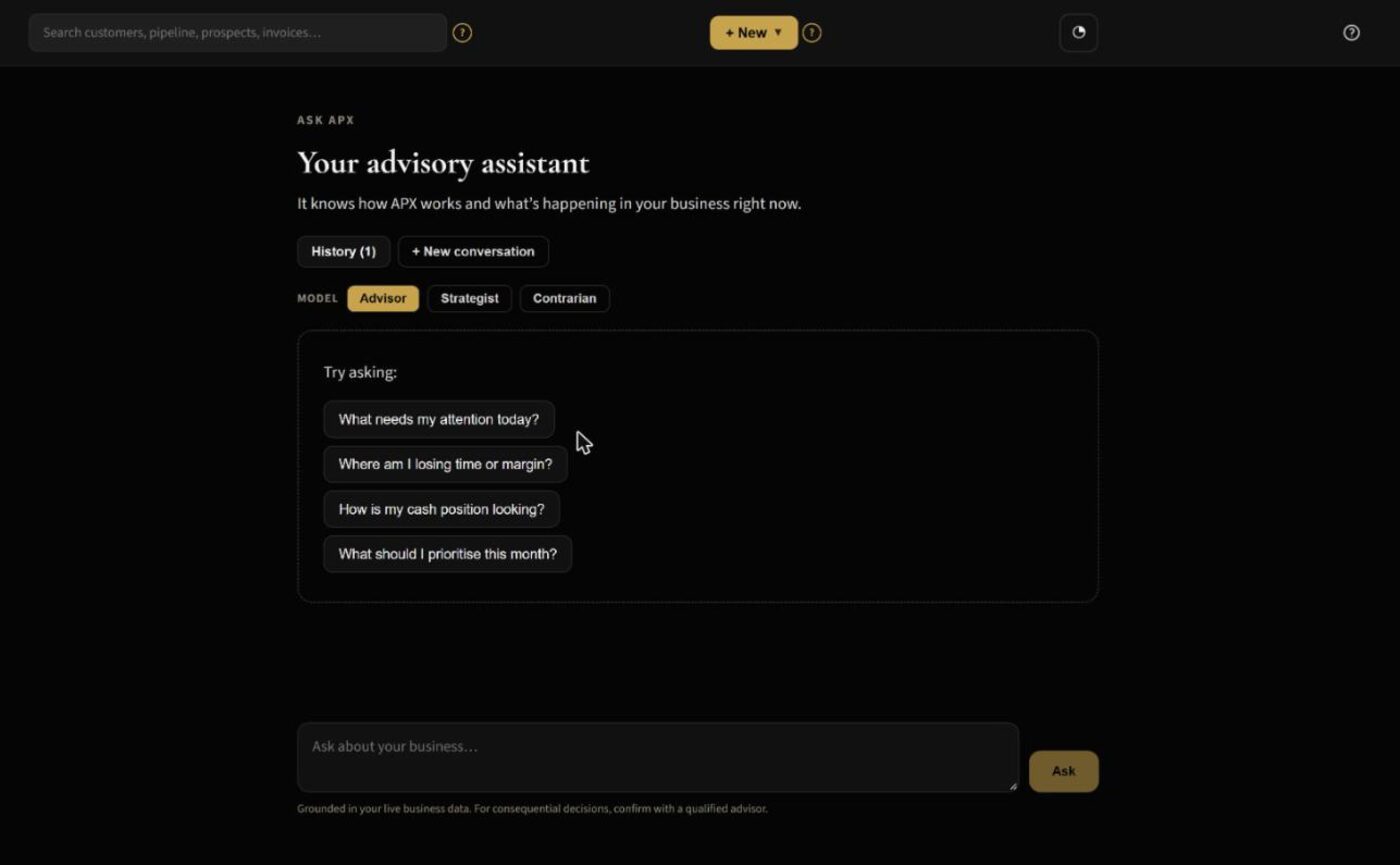
Work through a business question against your own data.
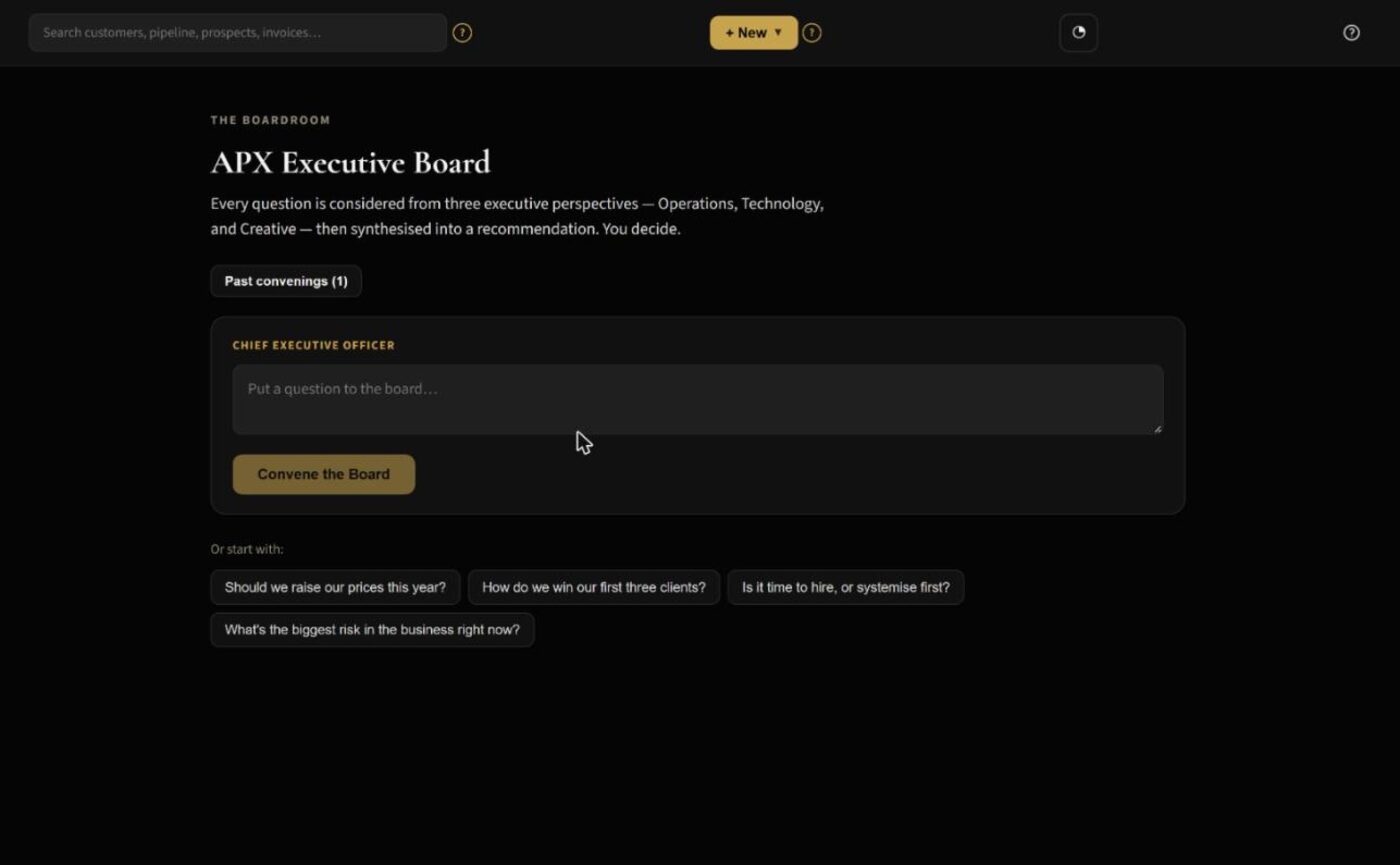
Several AI perspectives on a decision, for you to weigh.
Also included: two-way messages, scheduling, invoices and card payments through your own Stripe account (APX never receives your customer payments), reviews, catalog, and inventory. The outreach software workflow is included; APX running a campaign for you is separately scoped.
We learn the questions you want answered, set the handoff rules, configure your APX OS workspace, and test the call path before it goes live. Each month we review what needs tuning and update your approved answers and workflows. Your team stays in charge of the relationship.
One dedicated number is included; it ports out to you on exit under the service terms.
You use your own Stripe merchant account. APX does not receive your customer payments.
Standard-format data export and an orderly exit path, any time.
What it takes to cover the same ground when you assemble it yourself — a do-it-yourself all-in-one CRM you configure and run, or an AI answering service bolted onto the tools you already juggle.
| What your front office needs | APX Front Desk | A DIY all-in-one CRM | An AI answering service |
|---|---|---|---|
| AI call answering & routing | Included — with a tested fallback line | Usually a paid add-on, or absent | The core feature |
| Customer records & pipeline | Included | Included — you configure it | Not included |
| Website, forms & booking — built and connected | Up to 5 pages + Google Business Profile, done for you | You build and wire it yourself | Not included |
| Review & payment text follow-ups | Included | You build the automations | Limited, or an add-on |
| Invoicing & card payments (your own Stripe) | Included | Varies by plan | Not included |
| Inventory, catalog & jobs | Included | Rarely | Not included |
| Ask APX + Executive Board decision tools | Included | Not offered | Not offered |
| Set up and tuned for you each month | Managed by APX | You run it, or hire an agency | Provider-run, calls only |
| What you pay | $2,500 setup + $500/mo — your whole team | Monthly + usage; often per seat | Per-minute or per-call; varies |
Based on common plan structures; features and pricing vary by provider and plan. This compares APX Front Desk to buying these capabilities separately — not to any one company.
We can review your front-desk workflow and show you APX Front Desk using sample information today. Patient-facing texts and online booking switch on only after a data-flow review — so nothing that touches patient information goes live until it has been checked.
Sets up your Front Desk system and included website. Covers setup and the first 30 days.
Front Desk, APX OS access, the included allowances, and ongoing management. Month-to-month — no mandatory term.
One price per business — add your whole team and it doesn’t move. No per-seat billing.
Included each month: one dedicated number · up to 500 answered minutes (calls forward to your line at the cap) · 500 texts · $25 in APX OS AI credits. Additional use is always notice-then-approval — no surprise bills.
Request a Live DemoWe’ll walk through how your calls and follow-up work today, show a real demo, and explain the setup before you decide.
These are in active development and included as they ship — shown here so you can see the direction, not claimed as live today.
Yes — a custom website is part of APX Front Desk. (Our Tourisimo division also builds websites on their own for businesses that don't need the full Front Desk package.)
No. The assistant handles approved routine questions and captures or routes inquiries. Your team handles the conversations and decisions that need a person.
Yes — the assistant books the appointment live on the call, against your calendar, and the caller gets a text confirmation. It lands in APX OS right away, and syncs to your Outlook or Google calendar once you connect one.
Calls forward to a line you designate — a tested fallback, so a caller never hits a dead end. Additional usage is notice-then-approval.
We confirm a schedule once we have your approved answers, handoff contacts, website content, and access. Go-live lands within the first 30 days.
No — month-to-month. The setup payment covers the first 30 days; monthly billing begins on day 31.
We review your current workflow in the demo. Any specific integration is confirmed and scoped before we promise it.
Tell us a little about your business. We’ll show you the assistant answering a real demo call, where the inquiry goes in APX OS, and how the website and follow-up fit together.
Request a 15-Minute Live Demo